Domain name added
Optional: add hosting right away
Web hosting with a control panel to build and manage websites.
The web hosting plans can be changed at any time and cancelled monthly.

Choose your ideal hosting plan
Continue without hosting
Starter
€ 1.99 /mo*
€ 3.99 /mo


Basic
€ 3.99 /mo*
€ 7.99 /mo

Advance
€ 7.99 /mo*
€ 12.99 /mo
Ultimate
€ 9.99 /mo*
€ 16.99 /mo
Start
€ 3.99 /mo*
€ 7.99 /mo


Pro
€ 7.99 /mo*
€ 15.99 /mo
* The promotional price applies for the first 12 months, after which the standard price applies.
Prices exclude 21% VAT.
Enjoy an absurd number of web hosting extras
Rated the fastest web host.
We've been rated the fastest web host in the Netherlands in an independent speed test. Read the full test here.
Signing up for hosting is easy at my.host. Choose our fast hosting for the best experience. Your data is stored on fast and secure web servers that use the latest technologies. Our servers run on LiteSpeed, which makes your website incredibly fast. On top of that, Redis Caching is included with all hosting plans.
For every website on your hosting plan you receive a free SSL certificate for a secure https connection! We use Let's Encrypt so you don't have to worry about it. With our hosting, your website's security is sorted right away.
Email with the latest techniques.
We store all email securely on our servers. By default, the spam filter is automatically enabled for every email account, so spam never reaches your mailbox. For outgoing mail we use the latest technologies. Techniques such as SPF, DKIM, DMARC and DANE are always enabled, so you can be sure the recipient receives your mail. We work with SpamExperts, so only valid mail is delivered safely.
You can access your email at any time via webmail, or through the familiar IMAP and POP protocols. You can also manage calendars and contacts in webmail and on your devices or phone via WebDAV.

Uptime guarantee of 99.9%
Downtime or an unreachable website often costs you revenue immediately. Downtime is something you don't want, and we're very aware of that. We've set up our platform for the highest possible uptime, so your website stays online. That's why all our hosting plans have a minimum uptime of 99.9%. For the websites you host with us, we naturally aim for 100% uptime.
No empty promises, just action. We're confident we can keep this promise. Should we ever fail to keep it, you'll receive a free month of hosting as compensation.

A backup every day.
Every night we automatically create a backup of your hosting plan. This backup is stored on an external server, in an external data center (in Europe) managed by us. These backups don't count against the storage space in your plan; we offer them as an extra service. Restoring a backup is very easy and can be done directly from our control panel. You can even restore a single file or database.
To keep the impact on resources to a minimum, we use advanced backup techniques. Your website keeps loading fast, even while a backup is being created. You can read more about our backup technique here.
Hosting with no obligations.
We're convinced we offer the best hosting in Europe through great service, reliability and expertise. Should you run into problems and need support, our customer service is here for you. We understand these are promises you want to experience for yourself first, which is why we offer a money-back guarantee on all our hosting plans.
If for any reason you're not satisfied, we offer a 14-day money-back guarantee. Without any difficult questions or hassle, you'll get the costs you paid for the hosting plan back in your bank account within 48 hours.

How far do our extras go?
Everything you need to build and maintain the perfect website!

Optimized for the very best speed!
Fully NVMe, the fastest hardware, extensive caching and the fastest network ensure your website will fly!

Free SSL certificates
Unlimited SSL certificates for all your domains and subdomains. A secure website, higher search rankings and better conversion!

Malware scanner
Our malware scanner and virus scanner keep your WordPress websites safe.
- HTTP 2.0
- ImunifyAV+ included
- ionCube
- mod_rewrite support
- CloudLinux
- NodeJS
- Laravel
- Automatic script installation
- View website statistics
- LiteSpeed & Redis caching
- SFTP and FTPS included
- Composer pre-installed
- SSH access included
- Cronjobs
- PHP versions 4+5+7+8+
- Control panel DirectAdmin
- MySQL databases
- Create subdomains
- Create databases
- Backup every day
- Download backups yourself 24/7
Your app installed in 1 click
More than 300 apps available instantly.
Your favorite application is included as standard with your hosting plan. Without any technical knowledge or complicated installations, the application you want is installed with a single click via our control panel.

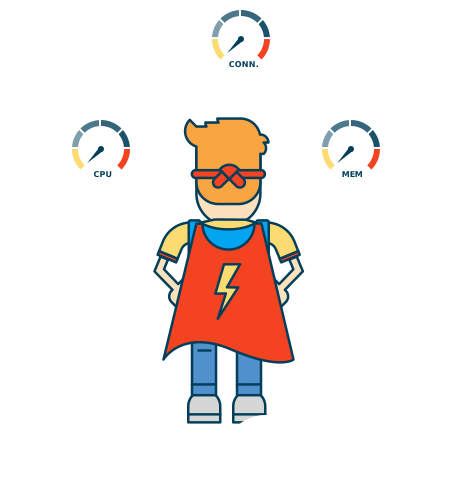
Lightning-fast load times
with LiteSpeed
Avoid losing conversions due to slow load times.
All our hosting plans run on LiteSpeed Enterprise. This is the best caching software on the market right now and delivers very fast load times. Thanks to advanced caching techniques, your website will load very quickly. You can also use Redis Caching, which improves load times even further.
Even under peak loads, speed is guaranteed. Stability and security are maintained even for outdated websites and webshops, because your website runs in its own isolated container on the server.
Guaranteed
email delivery
Delivery problems or bounce messages are a thing of the past.
Thanks to our years of experience as a web host, we know the inconvenience of email not reaching the recipient. Email may end up in the recipient's spam folder, or not arrive at all. That's why all outgoing mail is sent through our dedicated spam filter servers running SpamExperts software, a leader in the field of spam prevention. This lets you send mail with peace of mind, without doubting whether your mail reaches the recipient.
Incoming mail is also filtered by our SpamExperts spam filters, so only legitimate mail reaches your mailbox. This service is included for free with all hosting plans.


Always the best specifications for web hosting
No hassle, just the best performance.
Whether you choose the Starter plan or the Ultimate plan, we make sure you get the best specifications you need. We go further than many other web hosts in this regard. For example, you get at least three databases in our starter plan and unlimited databases in our highest plan.
We keep backups simple too: we back up your files every day and keep them for several weeks. The number of mailboxes, and therefore email addresses, you can create starts at 50 and includes webmail and an unlimited number of email aliases.

This is what customers say about myhost
Reliable, affordable, with professional support.
With my.host you're in great hands: good help and a clear process.


Need help with something else?
Can we help you with anything else?

VPS
A hassle-free, fast VPS of your own at my.host. Set up within 1 minute and ready to use.


Microsoft 365
Always and everywhere the latest programs. Adding or cancelling licenses is done in a single click.

Dedicated server
Order your own new dedicated server right away. Ready to use and delivered within 24 hours.
Frequently asked questions about hosting
Everything you need to know.
How do I log in to DirectAdmin?
You can log in to DirectAdmin by first logging in to the my.host control panel. On the login screen, enter your my.host username and password.
After logging in, you'll end up on the 'domain names' screen by default. Here you'll find an overview of your domain names. To log in to DirectAdmin, open the web hosting dashboard. You do this by clicking 'Web hosting'. Click the desired hosting plan of the desired domain.
Read the full articleHow do I change PHP settings?
Sometimes it's necessary to change PHP settings. For example when the maximum upload size causes an error on the website. The error message often refers to the php.ini file. These PHP settings can be adjusted in DirectAdmin.
At my.host there are 2 ways to change the php.ini settings of your hosting plan. We've divided this into:
- The simple method
- The advanced method
How do I connect via SSH?
SSH stands for Secure Shell, often simply called shell. Via SSH you can log in to another computer in an encrypted way. Commands can be executed remotely via a shell. SSH works through encryption, which makes it very difficult for outsiders to break in and intercept commands.
SSH is disabled by default for security reasons; you can easily enable it within the Control Panel. Click your hosting plan and then Advanced and SSH access.
Read the full articleHow do I create an FTP account?
To connect to your hosting via FTP, you first need to create an FTP account. Creating a new FTP account is easy via our control panel. Click Hosting in the menu and select your hosting plan.
Read the full articleHow do I connect via SFTP?
Once you've purchased a web hosting plan for your domain name, you can upload your website's files via SFTP. In this article we explain how to easily upload your website's files using the SFTP program FileZilla.
Read the full articleHow do I add a domain to my hosting plan?
When you take out a hosting plan at my.host, you're automatically asked for a domain during the order process. If you order a domain at that time as well, we immediately link that domain to your new hosting plan.
If you order multiple domains, we always take the first one. Now it may be that you order only a hosting plan and want to link a domain later, or that you want to link multiple domains to your hosting plan. That's of course possible; read the full article for this.
Read the full article