


Setting up a multilingual WordPress website is easier and faster than you might think.
In short, you have 3 ways to do this: you set up a WordPress multisite, you hire a developer for a custom solution, or you use a (free) plugin.
The latter option is by far the simplest and most straightforward, so that’s what I’ll focus on in this article.
Create a Multilingual WordPress Site via a Plugin
There are a handful of popular WordPress plugins that allow you to create a multilingual website. WPML, Weglot, and Polylang are the most well-known names. I’ve tested them all and ultimately ended up with the free plugin Polylang for translating my own websites.
Weglot is a powerful plugin that allows you to automatically translate pages. The problem: it comes with a hefty price tag. For a website of any size, costs quickly range from €79 to €299 per month.
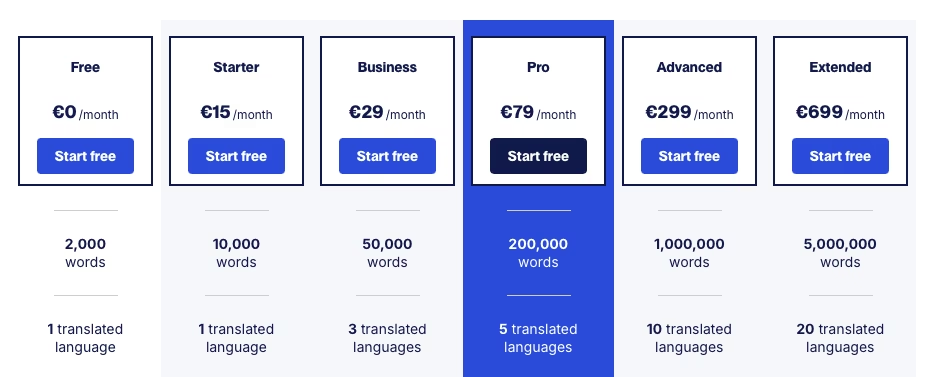
WPML is probably the WordPress translation plugin you come across the most. And the plugin is more attractively priced than Weglot.
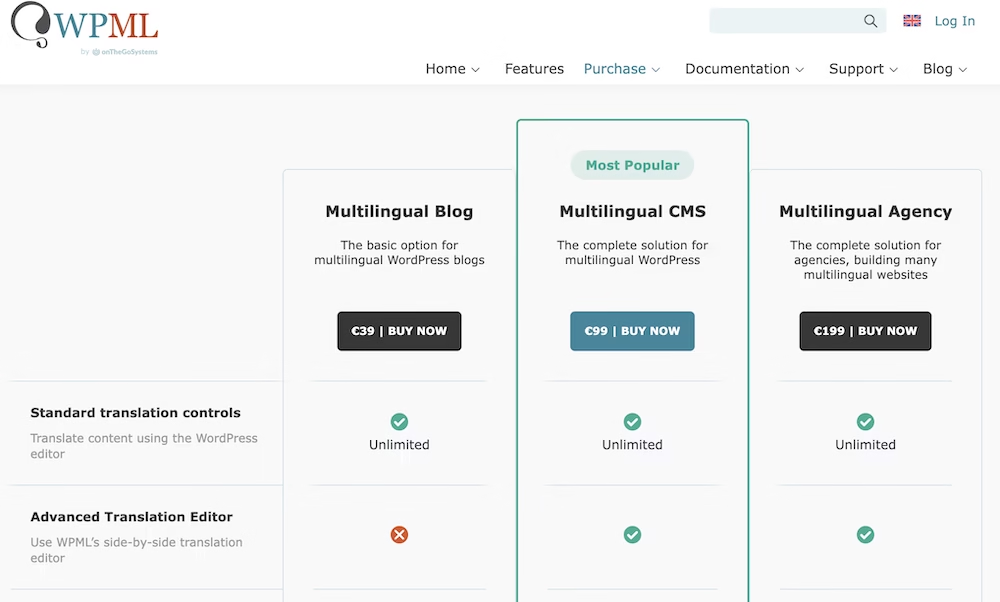
Still, I would personally avoid WPML. Despite all the positive bloggers praising this plugin, the plugin broke my website. I had to restore a backup to get things working again. A friend of mine had the same experience. Unfortunately, he was less lucky than I was: because his site broke later, he could no longer restore backups without WPML and had to rebuild his site. It took him several weeks at the time.
Alright, then Polylang. After using it for years, I can practically find no fault with it. Below you will read how you can set up a multilingual website for free with this plugin.
Setting Up Polylang
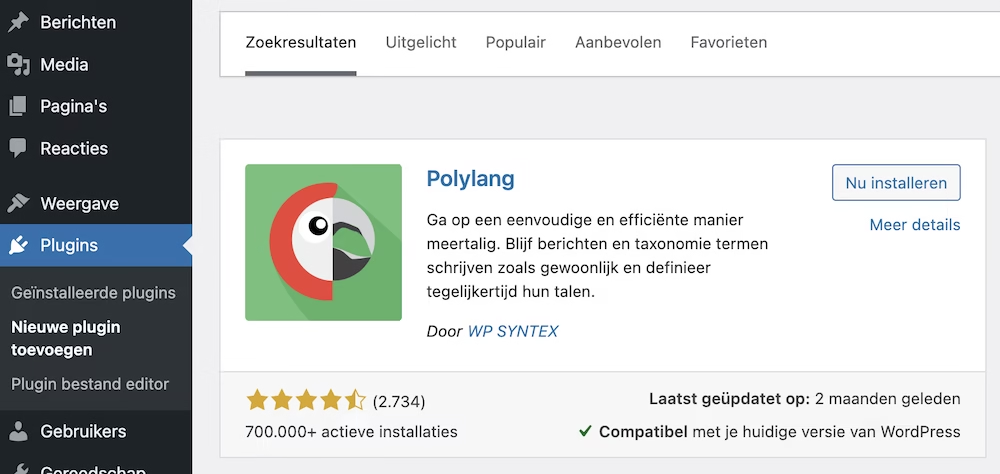
First, go to Plugins in the WordPress dashboard and search for the Polylang plugin.
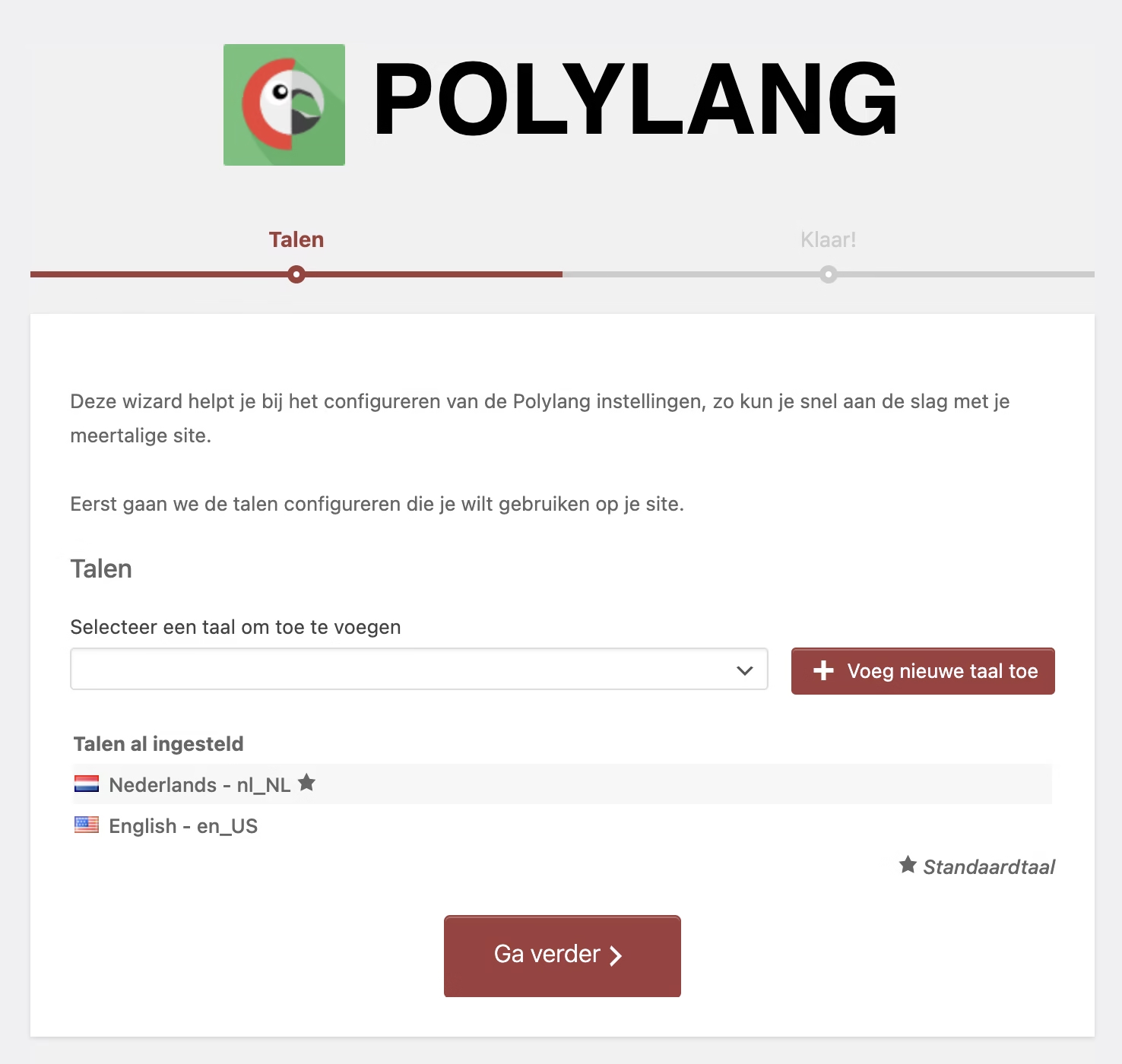
You will now be guided through a Wizard where you, among other things, choose which languages you want to use for your WordPress site. Start by selecting the original language of your site, for example, Dutch. Then you can choose the additional languages you want to add to your site.
Later, you can always add more languages if needed.
I personally kept the default settings in the rest of the Wizard.
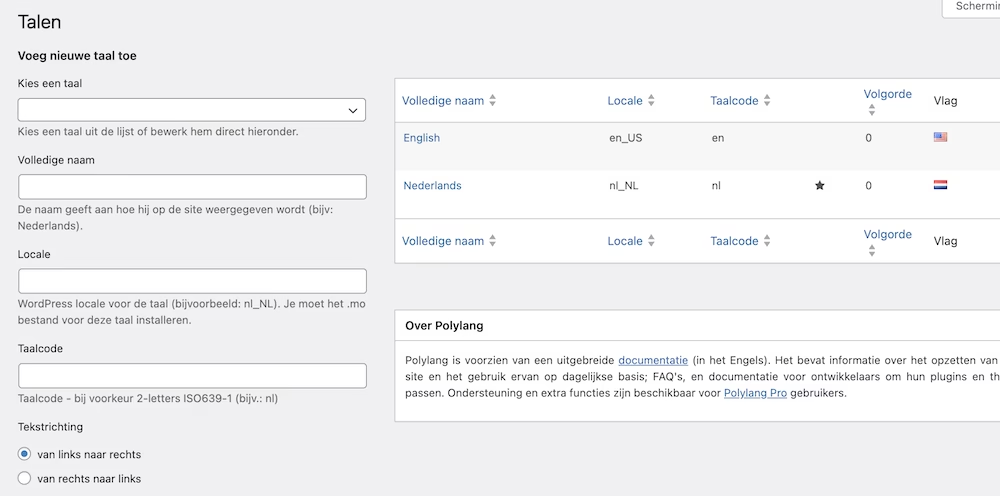
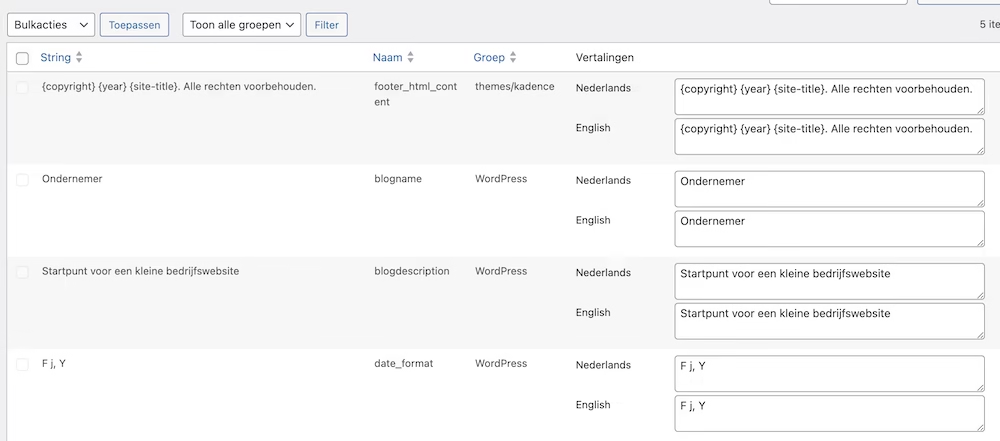
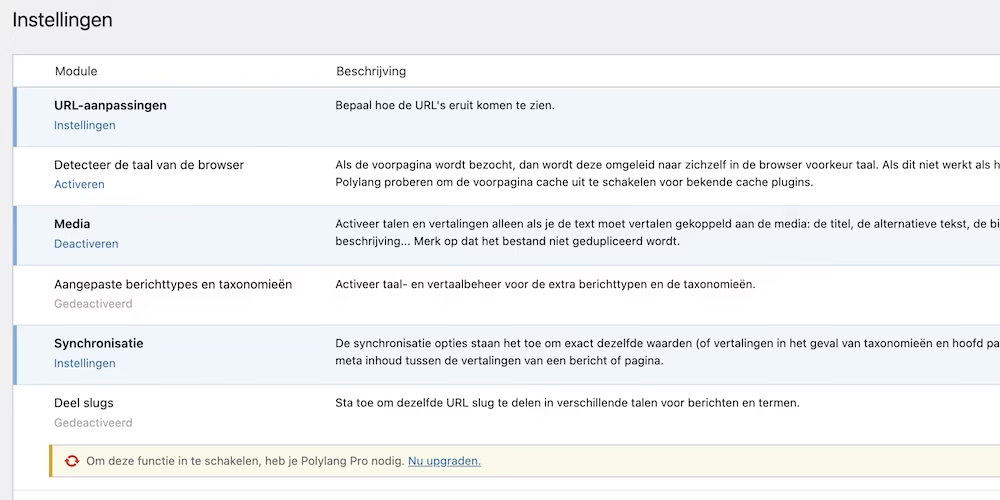
Now you see that a section called Languages has been added to your dashboard. Here, you can do a few things:
- Add new languages or delete languages
- Translate your website’s name or, for example, the copyright text in your footer
- In the settings, you can, among other things, set whether your site automatically switches to the browser language
- And go through the Wizard again
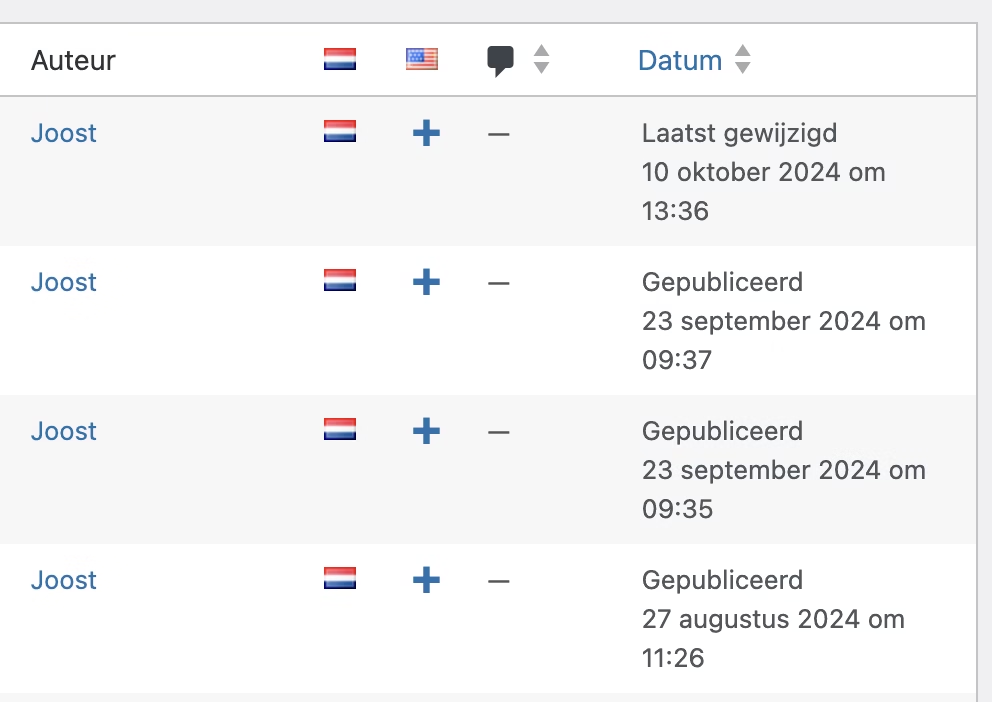
When you now navigate to your articles or pages, you will see flags representing the languages you have chosen. Click the plus sign under a flag to add a version of the page in that language.
You then land on an empty page where you can place a translation of the relevant page or post.
Finally, you translate the article categories and add headers and footers in the desired languages.
Translating categories works the same way as with articles and pages. How you translate headers and footers depends on the WordPress theme you use.
Lastly, add a dropdown button to the WordPress menu, so visitors can easily select a language. Polylang ensures that translated pages are automatically linked to the original page.
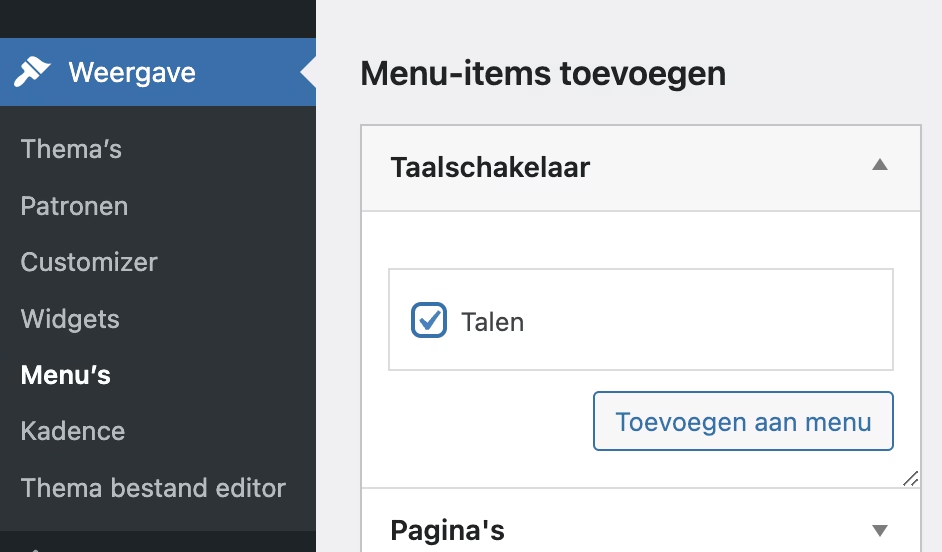
To do this, go to Menus in your WordPress dashboard. Select the option Languages and then click Add to menu.
Then you can set how the language switcher will appear in your menu. For example, you can choose to display the different languages as text only, or as a flag with text.
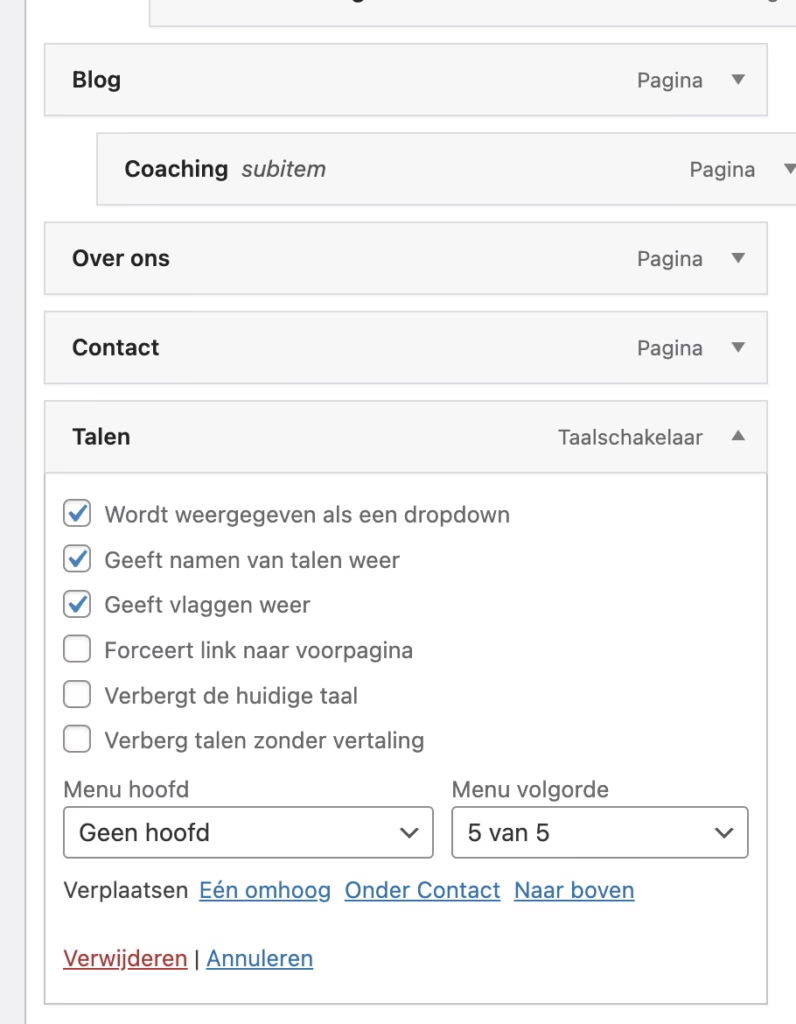
Make sure to save the changes.
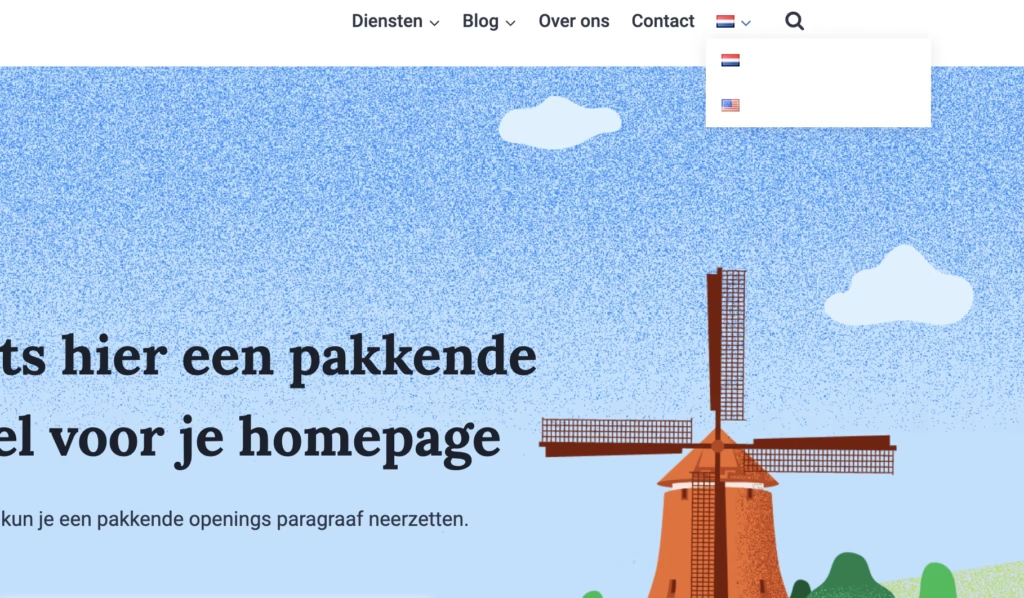
You will now see the multilingual button appear in your WordPress menu. When you have added a translation to a page or post, your users can directly navigate to a translation from the relevant page.
Of course, there is more you can do with Polylang, but this is the basic functionality in a nutshell.
Polylang Pricing
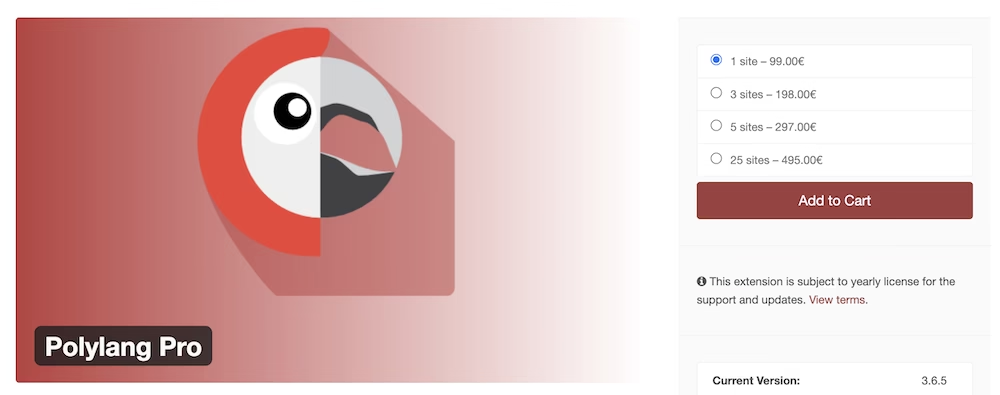
Polylang has a free and a paid version. The free version has all the core features that the Pro version has, but the Pro version offers some interesting additional possibilities. Think of using the same slug for translations (in the free version, each page and post must have a unique slug) and access to premium support.
The paid version costs €99 per year for a single site.
The Main Advantages of Having a Multilingual Website
You may still be wondering if having a multilingual WordPress website is worth it for you. One way or another, it’s quite an investment. If you use a plugin like Weglot, you will forever be spending at least 29 euros per month. If you use the free Polylang, you’ll spend quite some time manually uploading and maintaining all translations.
(Although tools like DeepL and Google Translate make this whole process significantly faster than a few years ago. Additionally, Polylang Pro has an integration with DeepL which can save you a lot of time.)
I eventually set up one of my own sites in multiple languages. And I have never regretted it. In my opinion, these are the main advantages of having a multilingual website.
Larger Reach and More Audience
- Access to international markets. This is an obvious one. You can attract visitors from different countries and reach new customer groups.
- Better user experience. People feel more welcome and understood when they can use the site in their own language. Even in countries where people have an excellent command of English, you will notice that they prefer to consume a site in their native language.
Improved conversion rate
- More trust. People are more likely to buy or get in touch if they understand the information in their own language.
- Locally tailored offerings. You can adjust content to the specific culture and language, leading to higher conversions.
Competitive advantage
- A multilingual website demonstrates that you are willing to invest in your customers.
- You can easily differentiate yourself from competitors who only have a monolingual website. In my experience, the majority of website and business owners do not feel like setting up and maintaining a multilingual website.
Improved SEO
- By translating your site, you can rank better in search engines in other countries and languages.
- With hreflang tags you inform search engines about the specific language and region of a page, increasing your visibility.
Strengthening your brand
- A multilingual website exudes professionalism and reliability.
- It helps you create a global appearance and strengthen your brand positioning.
In short, enough reasons to take the step towards a multilingual WordPress website.


Leave a Reply