


TTFB (Time to First Byte) is a term you come across in hosting speed tests and tools such as Google PageSpeed.
In this article, you will discover what TTFB is exactly, which factors influence TTFB, and how you can improve it.
What is TTFB (time to first byte)?
TTFB (Time to First Byte) is an important indicator that measures the response time of a web server. It indicates how long it takes before a server starts sending data after receiving a request from the user (think, for example, of requesting a page).
A quick explanation in simple terms: imagine you press a button to watch a movie on your laptop. TTFB (Time to First Byte) is the time it takes for the movie to start loading after you have pressed that button.
Establishing a connection with a server goes through several steps. Each step can cause latency. If a website loads slowly or is not accessible at all, it is essential to trace the cause of the delay. This insight helps to optimize the user experience.
With TTFB, you can identify bottlenecks in the connection process. By precisely understanding where the delays occur, you can optimize your hosting and website environment for better performance and stability. Since website speed has a direct impact on your Google rankings, it’s important to monitor and improve this metric well.
What is a good TTFB?
According to Google’s own standards, you want a TTFB of 0.8 seconds or less. If your TTFB is greater than 1.8 seconds, they suggest you should start worrying.
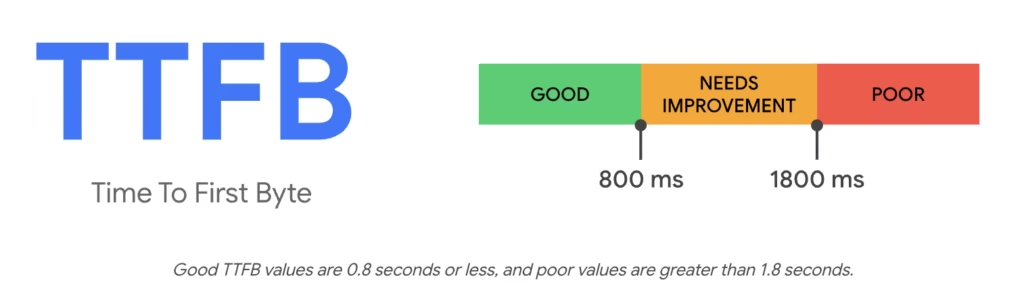
Personally, I would always aim to have a TTFB well below one second.
In my own experience, sites with a higher TTFB than that are simply annoying to use because navigating between different pages feels sluggish.
How do you measure your TTFB?
You can easily see what the TTFB is of one of your web pages by using Google’s PageSpeed tool.
Here you can see what the TTFB per page is for both mobile and desktop users.
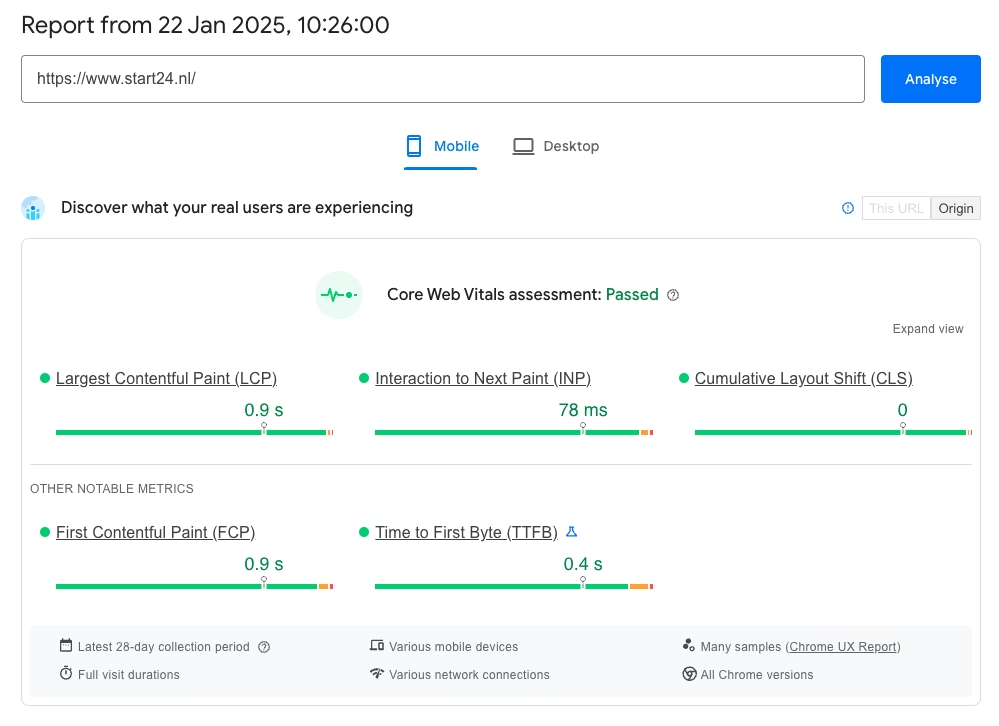
The score you see here comes from real visitors. This is not the case with a tool like GTMetrix.
These are the differences between these tools:
- Google PageSpeed Insights: TTFB is part of the assessment of Core Web Vitals and is measured with the goal of optimizing user experience. It combines real-world data (via the Chrome User Experience Report) with lab tests.
- GTMetrix: Measures TTFB as a technical metric in the waterfall view, focusing on backend performance and server response time.
The result: differences in focus (e.g., user experience versus technical performance) affect the way of measuring, which can lead to quite different scores.
Here is the TTFB of that same page as above, but measured with GTMetrix:
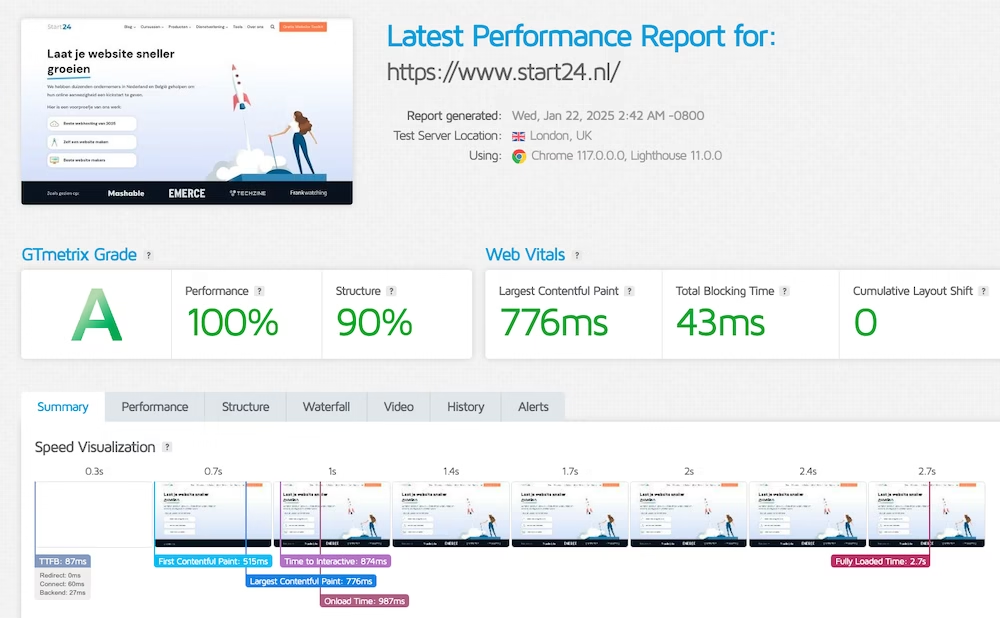
It comes out at 87ms.
How can you improve your TTFB?
You can easily improve your TTFB in several ways. Below you will find the methods, starting with what gives the most impact.
Switch to a good hosting provider
Your hosting provider has by far the greatest impact on the TTFB of your website.
Various speed tests have shown how significant the differences can be between various hosting providers when it comes to TTFB.
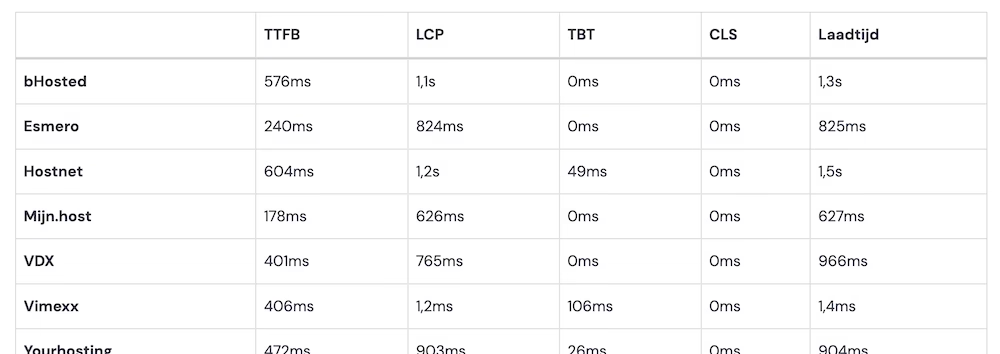
My.host offers hosting packages that according to every test place at the absolute top of the TTFB spectrum.
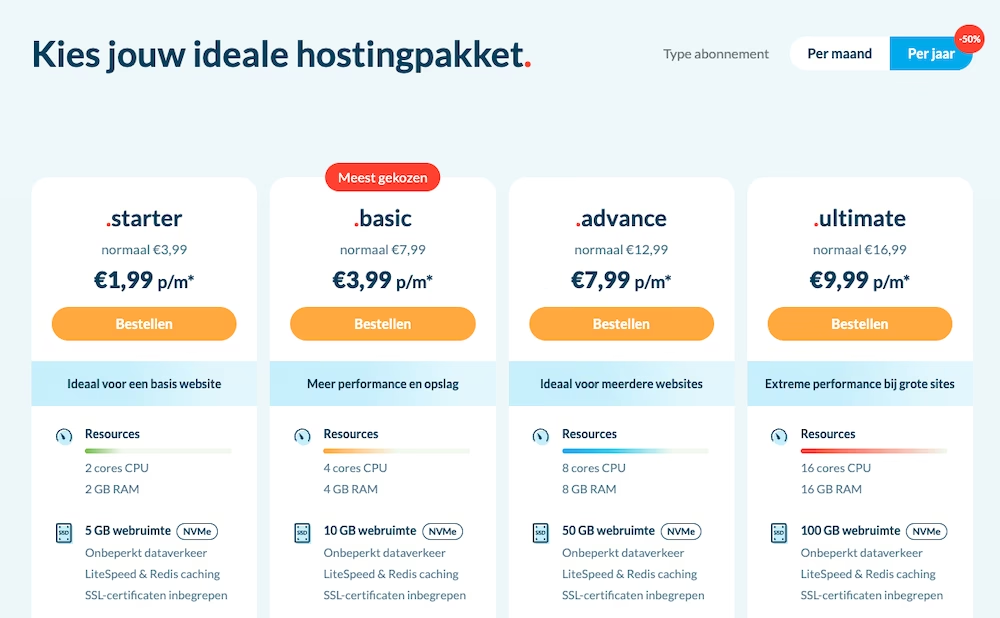
And if you’re worried about the hassle of switching from your current hosting provider: my.host also offers a free migration service that takes all the work off your hands and ensures that your site is transferred without downtime.
Install a caching plugin
Caching ensures that a large portion of your website is pre-stored and can be delivered directly to visitors. Plugins such as LiteSpeed Cache, WP Rocket, or W3 Total Cache can drastically lower your TTFB by minimizing the number of server requests. Don’t forget to also enable object caching if you have database-intensive pages.
Always use the free plugin LiteSpeed Cache when your host uses LiteSpeed technology. My.host uses LiteSpeed.
Use a lightweight theme and go easy on the plugins
A heavy WordPress theme and heavy WordPress plugins can push your TTFB up.
How do you find out which of your plugins are (too) heavy? For this, you can use Query Monitor.
And how do you know if you are using a lightweight theme? As a rule of thumb, themes that are built around the WordPress Gutenberg editor are lightweight. Examples of such themes are Kadence, GeneratePress, and Blocksy.



Leave a Reply