


You see HTTPS at the beginning of web addresses. But what does HTTPS really mean, why is it so important, and how does it work?
In this article, I will tell you everything you need to know about HTTPS, including how you can run your own site (for free) via HTTPS.
What exactly is HTTPS?
HTTPS stands for Hypertext Transfer Protocol Secure. It is an extension of the HTTP protocol (Hypertext Transfer Protocol), which forms the basis for data transfer on the web. HTTPS adds an extra layer of security by using SSL/TLS protocols to encrypt the communication between a web browser and a web server.
When you visit a website that uses HTTPS, all information exchanged between your browser and the website is encrypted. This means that if someone tries to intercept this data, they see a series of random characters instead of the actual content.
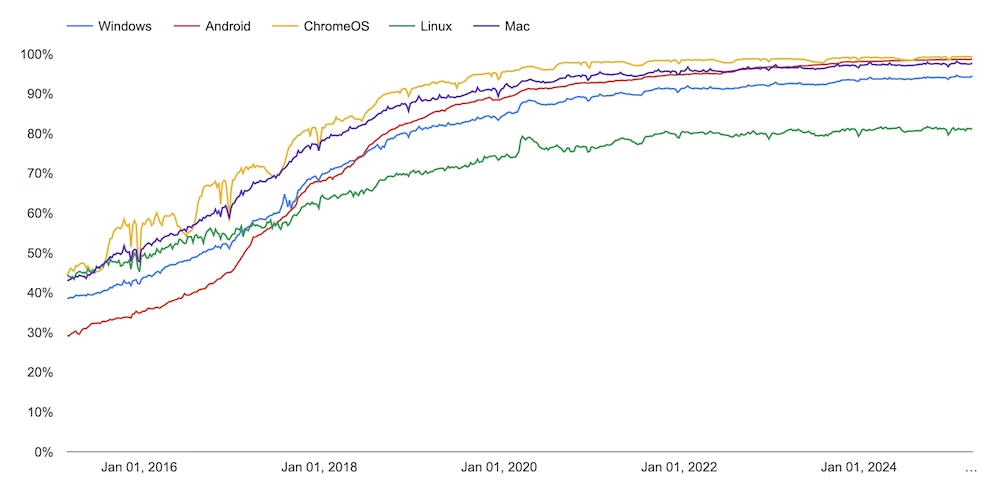
According to Google Chrome data, currently more than 95% of all websites loaded via Chrome use HTTPS.
Why is HTTP actually unsafe?
HTTP (without the “S”) transmits data unencrypted over the internet. This means that everything you enter or receive – such as passwords, personal information, or payment information – is sent in plain text.
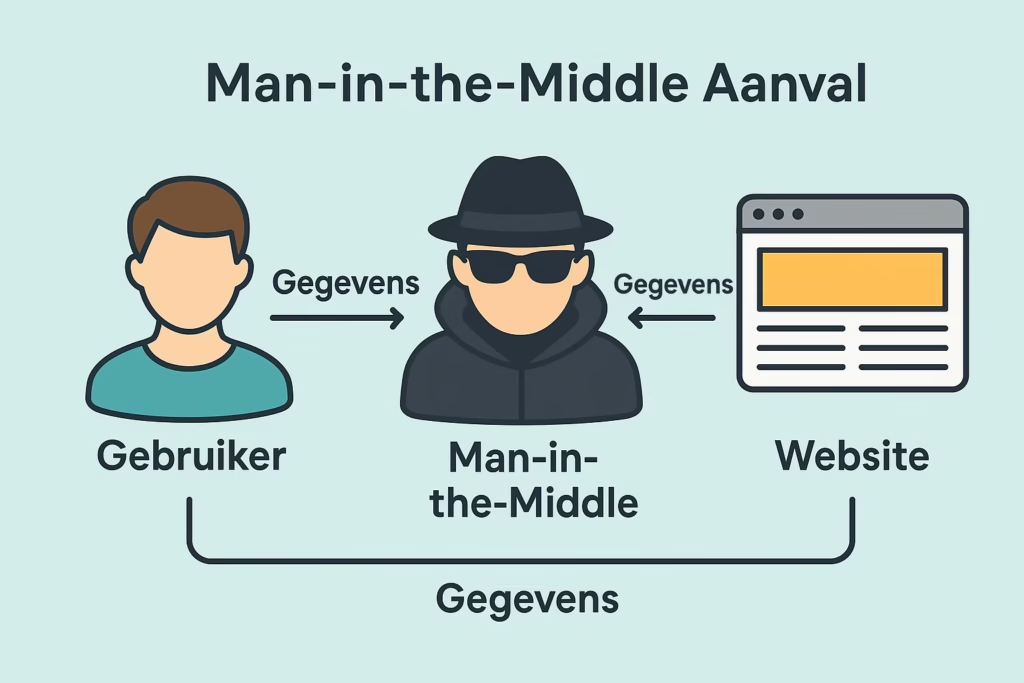
For example, if you log into a website via HTTP, others on the same network (such as on a public WiFi network in a café or hotel) can easily intercept that information. This is called a “man-in-the-middle attack.” The attacker essentially eavesdrops between your computer and the website.
Because there is no secure connection with HTTP, you also can’t be sure you are actually communicating with the intended website, or with a fake page.
How do you make sure your own website runs via HTTPS?
To run your website via HTTPS, you need a TLS certificate. TLS is a term you probably won’t often come across: in common language, it is called an SSL certificate. SSL refers to the technology preceding TLS, but the term has stuck. But don’t worry, it’s exactly the same.
SSL certificates are issued by Certificate Authorities (CA). These are independent companies whose SSL certificates are supported by all popular web browsers. These certificates can vary in price from a few euros per month to tens of euros per month.
However, in recent years, the free SSL certificates of Let’s Encrypt have become increasingly popular. Let’s Encrypt is a non-profit Certificate Authority that provides valid SSL certificates for free. The initiative is funded and supported by parties like Google, Mozilla, IBM, and Shopify.
In my opinion, there are few reasons to turn to a paid SSL certificate. I have managed about 10 websites for many years. All these sites – from blogs to webshops – simply run on a free Let’s Encrypt certificate.
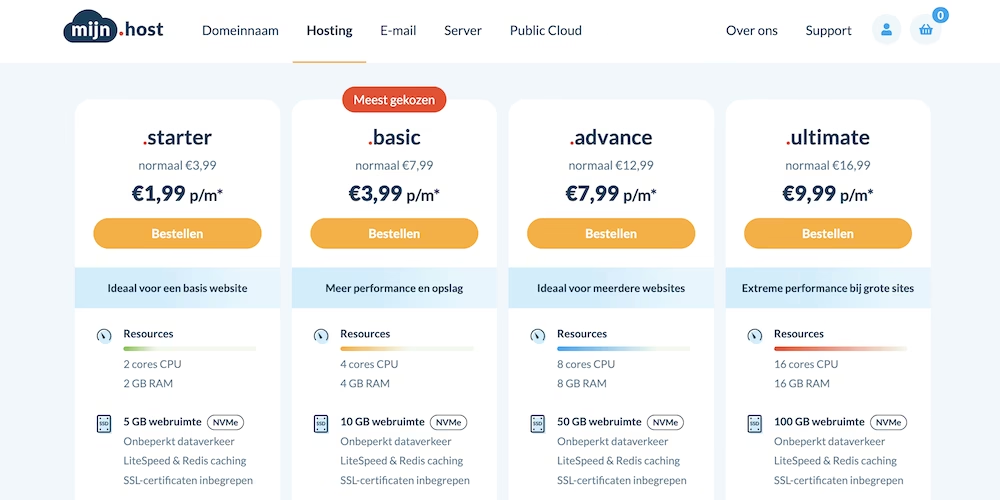
When you purchase a hosting package at my.host, you get access to as many free Let’s Encrypt SSL certificates as you want.
This is why HTTPS is good for your website’s SEO
HTTPS is good for the SEO (the findability of your site in search engines) of your website. Below you can read why.
It’s a (slight) ranking signal
In 2014, Google announced that HTTPS is a slight ranking factor. Is it a major ranking factor? No. But it helps a little. Imagine if all other elements of a site are exactly the same as yours (content quality, backlinks, site speed), then HTTPS could tip the scales.
This is Google’s contribution to the faster spread of HTTPS.
Better security and privacy
We have already seen why HTTPS improves your site’s security. But what does this have to do with SEO?
Many browsers nowadays do not easily give users access to an unsecured site. Chrome, for example, won’t show you the site, and as a user, you have to jump through quite a few hoops just to get to the site.
Of course, this completely ruins the trust in these websites. Many users will likely click away from the site immediately.
Clicking away from the site means that less time is spent on the site and that the bounce rate is higher. Both are negative ranking signals.
It allows your site to use modern protocols that improve site security and site speed
You might think that HTTPS is slower than HTTP due to the extra security features. However, HTTPS is a prerequisite for using the latest web performance technology and security.
This allows your website to load faster because you can use protocols like HTTP/2 and TLS 1.3.
Not only do you make your visitors happy with a faster site, but website speed is also a slight Google ranking factor.
How does HTTPS work technically?
If you want to know what exactly happens from a technical point of view when your site runs via HTTPS, here is a brief explanation.
HTTPS works by adding an extra layer of security to the standard HTTP protocol. This security is made possible by SSL. Let’s take a look at how this process works technically:
The HTTPS connection process
- Handshake initiation. When your browser wants to connect to an HTTPS website, it sends a “client hello” message to the server with information about which encryption methods (cipher suites) it supports.
- Server response. The server responds with a “server hello” message indicating the chosen encryption method and sends its SSL/TLS certificate. This certificate contains the server’s public key and is signed by a trusted Certificate Authority (CA).
- Certificate verification. Your browser checks if the certificate is valid, not expired, and issued by a trusted CA. It also verifies if the certificate is indeed for the website you are visiting.
- Key exchange. After verification, your browser generates a symmetric key (or “session key”) and encrypts it with the server’s public key. This encrypted key is sent to the server, and only the server can decrypt it with its private key.
- Secure communication. Once both parties have the same symmetric key, all further communication during that session is encrypted with this key. This process ensures secure, encrypted communication between your browser and the server.
This process uses a combination of asymmetric encryption (with public and private keys) and symmetric encryption, which offers both security and efficiency.



Leave a Reply