

With the ever-increasing digitalization, it’s hard to avoid certain terminology anymore. The news is full of it, and there’s a good chance that in your own social circle there are different people who work in the IT sector or are interested in it. Therefore, it becomes more important by the day that you have at least a basic understanding of these technical matters to keep up in a conversation.
This doesn’t mean you need to know how it works from A to Z and why, but a general understanding of certain terms can definitely be useful. Today we are going to create that general understanding around the term HTML.
What exactly is HTML?
HTML is an abbreviation for HyperText Markup Language and is the most used markup language for web pages. Simply put, HTML determines the structure of your web page.
The Basics of programming
For many, HTML is also the first markup language they learn and is therefore often seen as the ‘foundation’ for programming. However, HTML is not considered a programming language because it cannot create dynamic functionality.
Of course, you can’t build a complete website with just HTML. If you consider a website as a whole body, you can see HTML as the ‘skeleton’ of this website. This means that it is hugely important for the functionality, but in terms of design, there is still much to be desired in the overall process; for this, other programming languages such as CSS are needed.
This is how HTML works
HTML functions through HTML tags: codes added to determine how the ‘normal’ text is displayed. You can recognize these codes by the brackets (< and >) they are between.
The tags between these brackets provide information to the browser on how to display the information linked to them. For example, the tag can specify whether it’s an H1 or H3 title, or you can add colors, images, and links with it.
In principle, HTML is the perfect language to shape your site, then fully style it with the help of other languages such as Java and CSS. With just HTML, you can already create a functioning website or webpage, but it will be very limited and not look fantastic.
Is HTML difficult to learn?
In short: no. HTML is not a highly complex programming language and is relatively easy to learn; it’s just a lot to absorb if you want to become 100% proficient in it. This means you should plan a study session of a few hours to grow your understanding.
Where can I learn HTML?
Meanwhile, there are many websites offering both free and paid courses to teach HTML and possibly other markup and programming languages to those interested.
Our advice is not to immediately purchase an expensive course for HTML, given that there are websites such as W3schools and Codecademy that offer a good curriculum without any associated costs.
The structure of HTML
When you look into a website’s HTML code, you’ll quickly see a lot of brackets and short terms (tags). At first glance, this may seem confusing, but nothing could be further from the truth.
When you look closely at what terms are between those brackets, the code becomes much clearer. Firstly, it’s useful to know that you always have an open and a close tag. The close tag is recognizable by the ‘/’ it contains.
HTML tags
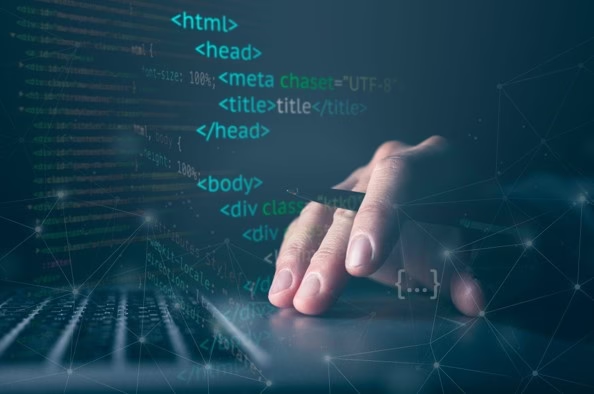
For instance, it starts with <HEAD> and </HEAD>. This is short for Header; or the top part of the site. Everything between these two tags will appear in the header of the website. The same goes for <BODY> and </BODY>; everything placed between them will be in the ‘body’ of the website; the page itself.
However, not all tags are self-explanatory, and it’s necessary to sit down and study them well. Below is a small overview of more important HTML tags!
What are other important tags within HTML?
Even if you are not a programmer or web developer, you might occasionally want to quickly change something on a website.
If you already know a little bit where what information can be found within the HTML code, you can quickly make simple changes to the page without too much trouble and without needing to hire someone. A few tags to watch out for so that you know what does what are:
- <!DOCTYPE html> – This tag is at the top of the file and defines that this document is an HTML document.
- <html> – The main element of an HTML page that encompasses all other elements in the HTML page.
- <head> – Contains information about the page, such as the title and metadata.
- <title> – Specifies a title for the HTML page that appears in the browser’s title bar.
- <body> – This tag defines the main content of the page and is a container for all visible content, such as headings, paragraphs, lists, etc.
- <h1> – Indicate what kind of header it is. This can also be h2 or h3.
- <p> – Defines a paragraph in the HTML document.
- <br> – This tag indicates a line break; aka an ‘enter’.
Why is it useful to learn HTML?
To this day, HTML is still one of the most relevant skills to master. HTML is still used as the ‘backbone’ of websites, and mastering this language also provides a good general understanding of other forms of programming and coding.
For example, it’s much easier to transition to JavaScript and CSS once you have a solid foundation within HTML.
Is HTML also interesting for non-programmers?
Absolutely! You probably won’t need it every day, but if you ever want to make a small change on a webpage, it can save you a lot of time (and money).
Most changes you want to make to a webpage are not that complex, but if you know nothing about HTML, you won’t know where to look. With a bit of knowledge of the language, you can often find the problem or the relevant piece of text to adjust without much effort.
What are the most popular programming languages in the Netherlands at the moment?
As mentioned earlier, HTML is not a programming language but a markup language. However, HTML is still very important in the world of web development. Although this language is very important, it does not stand alone, and to create a decent webpage, the help of other programming languages is needed.
Currently, the most used, and therefore the most popular, programming languages are the following:
- Python
- Java
- JavaScript
Perhaps you have come across the names of at least one of the three; they are even often discussed in computer science classes at high schools today.
All three of these languages serve their own specific purpose but are completely different in terms of the structure of the language itself. This article will not fully dive into the depth of these languages, but we will keep the focus on HTML.
Do I always need HTML to build a website?
This of course depends on what exactly you want to do. If you simply want to have a website online, there are more and more possibilities to create a beautiful, functional website without any knowledge of code.
For this, you could use programs such as WordPress, Squarespace, or Wix! These programs have focused on simplifying website building, so that everyone can handle it.
Custom-built website
If you truly want a custom-built website with all sorts of different options, widgets, and extras, then chances are you’ll need to write the code yourself; because many of these ‘drag and drop’ options, as mentioned above, don’t have the most suitable solutions ready for every project.
However, these platforms often offer the option to dive into the code yourself and add a few things to enrich the site.
Do you need more than HTML to run a website?
Indeed, as mentioned earlier, HTML is the basis of a good website, but you need one or more languages to make it special. Even beyond the entire coding story, you need more to keep your website running.
What else do I need for my website?
Of course, it all starts with a domain name. People need to know which address to go to in order to reach your website. If you don’t have one yet, it’s handy to register this first. Besides your domain name, you also need a bit of server space to host your website. For this, you can purchase hosting with us. If you’re going to build your website via WordPress, we also have specific WordPress Hosting for you!
Email with your domain name
Once you have your own domain name, you can also choose to immediately link your email to it. This would then look like Info@yourdomain.com. Many companies choose this because it has a more professional appearance than, for example, an Info@gmail.com address.
A website with SSL certificate
This is a detail that many people tend to overlook. Especially for websites that need to process data, this is crucially important, and also mandatory.
An SSL certificate ensures that you get a green padlock in the URL bar. This means your website is equipped with proper encryption and is safe enough to process personal data. This is also mandatory if you only have a contact form on your website!
As you can see, there are plenty of reasons to immerse yourself a little bit in the world of HTML. It offers a vast array of possibilities, and anyway, it’s an interesting topic within the online world. The possibilities with HTML, especially in combination with other languages, are endless!
If you have further questions about what we can do for you and your online presence, you can always contact us, our customer service is always ready! We also gladly provide tailor-made advice on which of our products is the best solution for your idea. Whether you want to transfer your domain name, register, or want a Virtual Private Server (VPS) for your business, we can make it happen for you!
Hosting bestellen?
Kies voor de snelheid, gebruiksgemak en service van mijn.host.



Leave a Reply