

Exciting news for everyone with a WordPress or Website Builder package, we have added something new, our very own WordPress Manager. With this, you can manage your WordPress installation directly from the my.host control panel, without logging into your website or manually adjusting files.
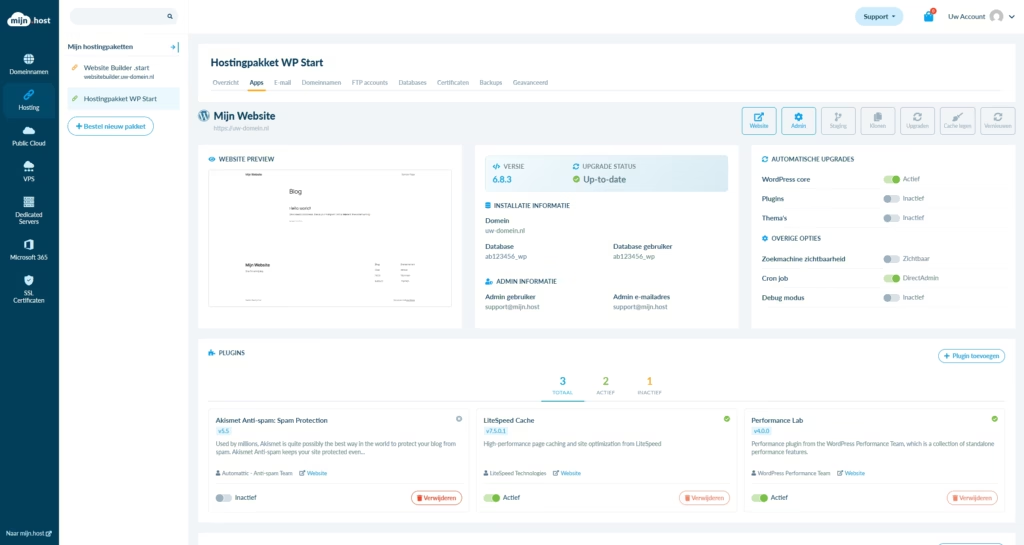
Everything in One Place
Until now, you had to log into your wp-admin or make adjustments via SFTP, DirectAdmin, or Softaculous for many WordPress tasks. With the new WordPress Manager, it’s all easier. You can now, among other things:
- Import WordPress
- Update the WordPress version
- Enable or disable automatic updates (for the core, plugins, and themes)
- Set the search engine visibility
- Replace the WordPress cron job (with a DirectAdmin cron job)
- Enable or disable the WordPress debug mode
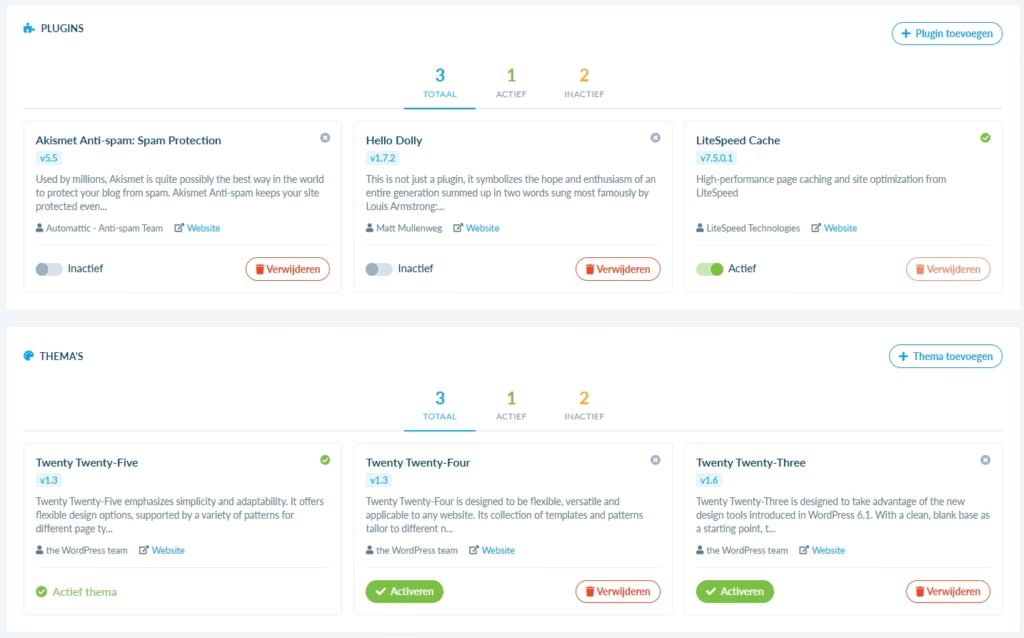
- Manage plugins and themes (install, activate, delete)
- Create a staging environment (and push to the live site)
- Create a clone of your site
Everything happens safely within your own hosting environment, without having to work with files yourself.
Synchronizing and Importing WordPress Installations
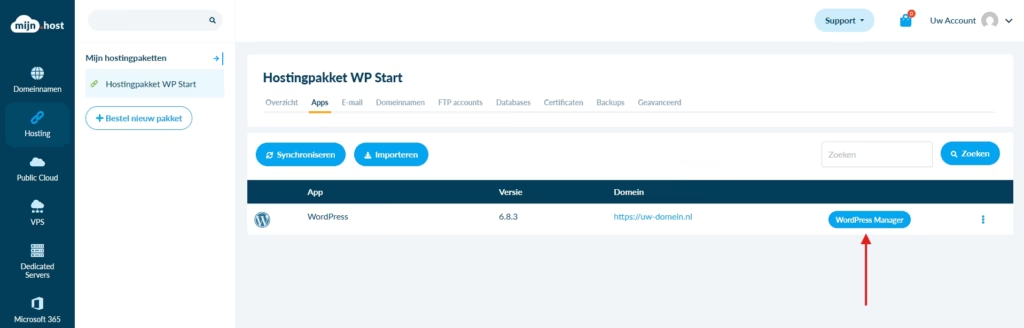
The WordPress Manager can scan for WordPress installations in your hosting account. Handy if you manually installed WordPress earlier or imported it from external hosting. Simply go to the Apps > Installed apps page (or Websites > Installed websites for a Website Builder package) in the control panel at your hosting package and click the Synchronize button.
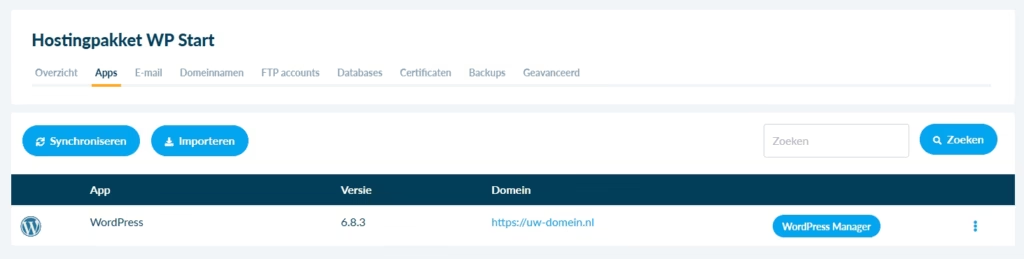
Furthermore, you can now also easily import. For this, go to the Apps > Installed apps page (or Websites > Installed websites for a Website Builder package) and click the Import button. A window will then appear where you fill in the details of which application you want to install, the FTP and source details of the installation, and where you want to install the app with us.
Directly Available
The WordPress Manager is standard available for all WordPress packages and for the Website Builder packages. Are you using a regular web hosting package? Then everything will continue to work as you are used to, but without these WordPress-specific extras.
Why This Update?
Many customers use WordPress, but not everyone wants or can deal with the technical side of hosting. That’s why we wanted to add something that:
- makes management easier;
- reduces the chance of errors;
- and ensures you can implement changes faster.
The WordPress Manager is fully developed in-house and seamlessly integrates with our control panel.
Try It Yourself
Do you have a WordPress or Website Builder package? Then log in to your my.host account via the control panel. Navigate to your hosting package under the Hosting tab and then in the hosting package menu Apps > Installed apps (or Websites > Installed websites for a Website Builder package). Here you click on the blue WordPress Manager button for the respective WordPress installation.
WordPress hosting bestellen?
Makkelijk, snel & veilig je eigen WordPress website.


Leave a Reply