


There are dozens of buttons you can turn if you want to make your WordPress website faster.
But as is often the case, the 80/20 rule (80% of the result is achieved with 20% of the input) also applies here. And we see that there are actually just a handful of things that really matter in speeding up a WordPress site.
This is how you make your WordPress website faster
1. Choose a lightweight WordPress theme
Trying to make a WordPress website with a slow theme fast is almost always a lost cause.
Sure, you can immerse yourself in hours of technical YouTube videos with a slow theme to speed things up, but believe us: it’s like building a house on a rotten foundation. Sooner or later, things will collapse.
You might wonder how to tell if a theme is slow? What is advisable is to always check a demo page of a theme through a speed tool such as PageSpeed Insights. That gives you a pretty good idea:
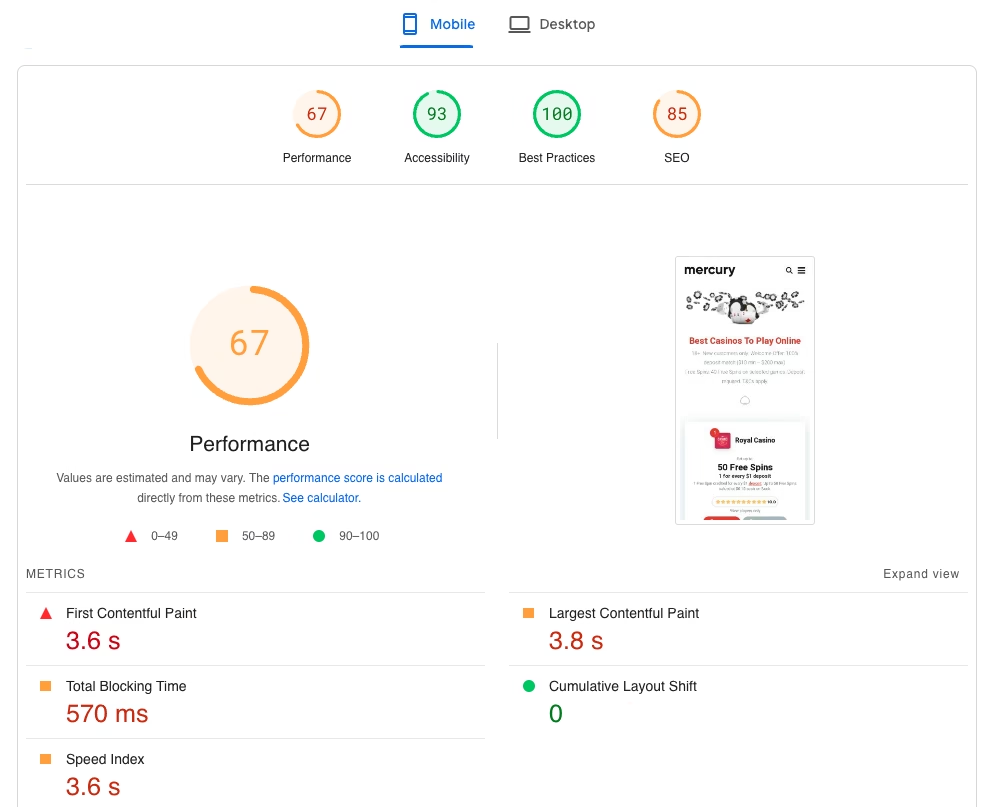
(Keep in mind that a demo page does not yet include heavy plugins.)
When choosing a theme, we usually recommend choosing one of the “proven” WordPress themes based on the Gutenberg editor.
Examples of such themes are:
- Kadence (extremely versatile and easy to use for beginners)
- GeneratePress (more suitable for people with a developer background)
- Blocksy (fresh looking theme that is easy to grasp)
The good news: these themes are all multifunctional (you can build any site you can think of with them) and also have a free version.
With this type of theme, you also don’t need a page builder like Elementor, which can also significantly slow down your site.
2. Use (the right) caching plugin
A caching plugin stores a version of your web pages for future visitors. This means WordPress doesn’t have to generate the full page every time someone visits your site.
Instead, a previously stored version (the cache) is served, leading to faster load times and less server strain. Especially during peak traffic times, this ensures your website continues to load quickly.
If you use web hosting that utilizes LiteSpeed servers (like we at my.host), then you can use the free LiteSpeed cache plugin. Besides caching your pages with this plugin, you can also use it to optimize your images (more on this below).
If you use a host without LiteSpeed technology, consider a plugin like FlyingPress or WPRocket.
3. Switch web hosts
Your hosting provider also has a huge impact on your website’s speed.
In recent years, a lot of consolidation has taken place within the Dutch hosting world. At many providers that have been acquired, the focus on hardware innovation has decreased. This in turn has led to slower load times.
If you suspect that your hosting provider is the bottleneck in your website’s speed, it might be worth considering a switch.
Our WordPress hosting services are not a bad option to consider. For years, we’ve scored incredibly high in independent hosting speed tests.
The reason for this is simple: we not only invest in the fastest hardware that we manage ourselves, but we also work hard on optimizations focused on WordPress.
4. Use a CDN (if you have many international visitors)
A Content Delivery Network (CDN) works like a type of caching system in that it stores parts of your site on servers around the world. Visitors then see a version of your site that is located on the server closest to them, which benefits your load times.
CDN’s add little value if your visitors come from just one country – in fact, your site could become slower than if you don’t use a CDN.
However, when your site attracts an international audience, a CDN is a must.
There are countless paid CDN’s, but for many websites, a free CDN from a provider like Cloudflare or QUIC.cloud is more than sufficient.
5. Remove unnecessary plugins
We sometimes come across websites that have dozens of plugins installed. And often some of these plugins even have overlapping functionality.
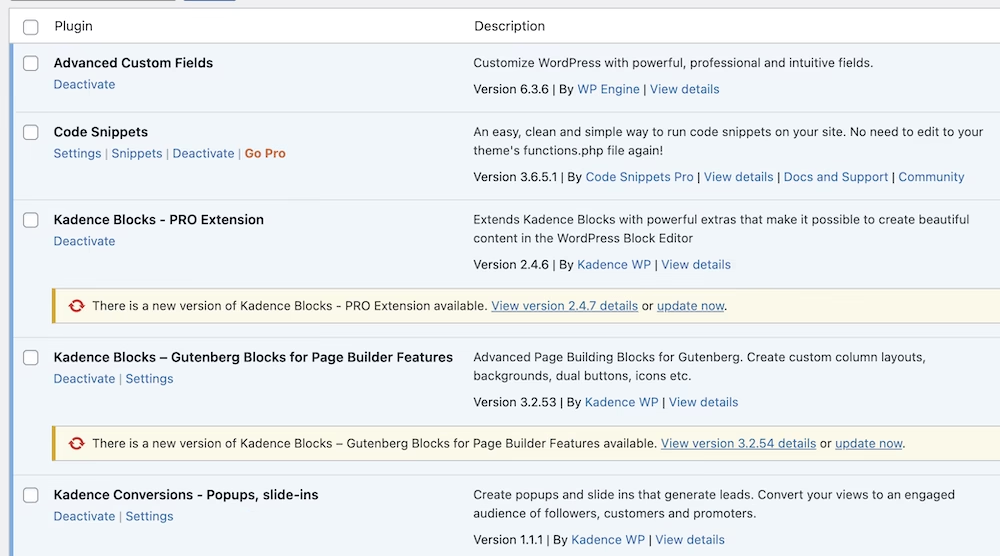
Make sure every plugin installed on your site serves a purpose. If this is not the case, remove the plugin from your website.
Besides speeding up your site, this also makes your site a bit more robust: each plugin you use could potentially conflict with another plugin or your WordPress theme.
Enough reasons to have as few WordPress plugins as possible installed on your site.
6. Optimize your images
Images can take up a lot of space. A non-optimized image can quickly take up a few megabytes. This is deadly for your website’s load times.
If you use the aforementioned LiteSpeed Cache, you can automatically resize the images you add to your WordPress media library.
There are also other plugins that can do this for you.
Another option is to use a free service like TinyPNG.
How to find out if your WordPress website is slow?
“Feel” yourself how fast your website loads
One of the best ways to test your site’s speed is to put yourself in your visitors’ shoes.
Open your site in an incognito browser tab on both your computer and your phone and click through about 10 pages.
Are there hiccups, or do parts of your page load in an inelegant way? Then you have work to do.
See what Google Search Console has to say
For a few years now, Google’s Core Web Vitals have been part of their ranking algorithm. Core Web Vitals is a set of statistics that measure the actual user experience in terms of loading performance, interactivity, and visual stability of the page.
You can see how your Core Web Vitals are doing in Google Search Console.
When everything is green, you have nothing to worry about.
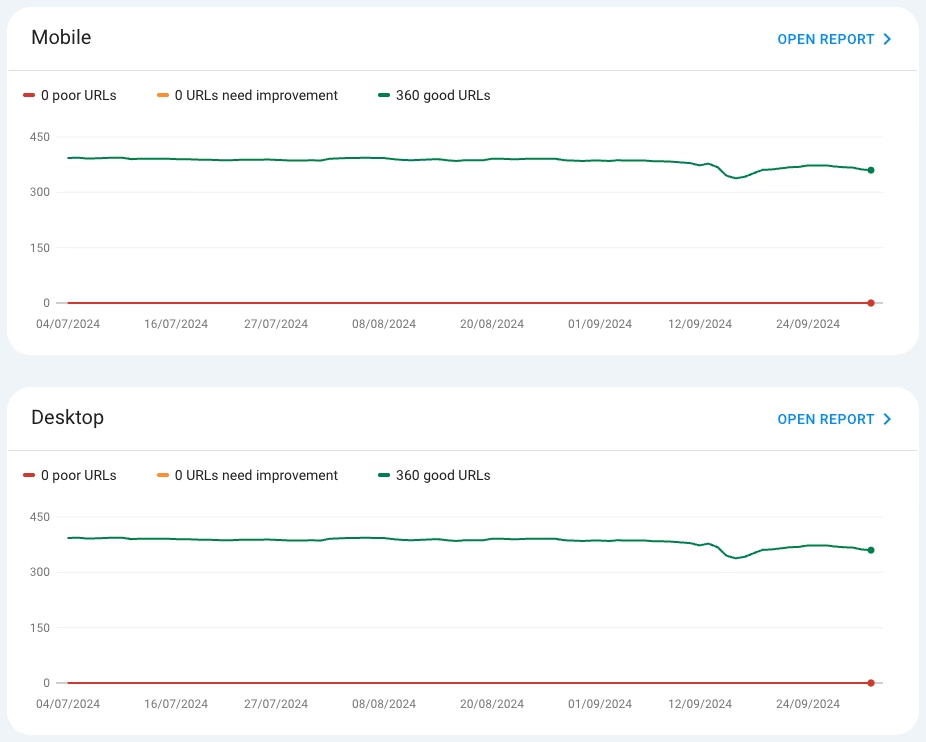
When URLs on your page are marked as “poor” or “need improvement,” however, you need to get to work.
Ensure that you review your Core Web Vitals at least once every few months in Google Search Console. The fact that your pages pass Core Web Vitals at a certain moment doesn’t mean it will remain the same in the future.
Use a speed tool
There are several speed tools you can use to measure the speed of your website’s pages. GTMetrix is a well-known example. But PageSpeed Insights is also an excellent tool that is completely free and managed by Google itself.
With this tool, you can see per page how well it scores on both mobile devices and desktop (the mobile score is the most important here, as Google has a mobile-first philosophy).
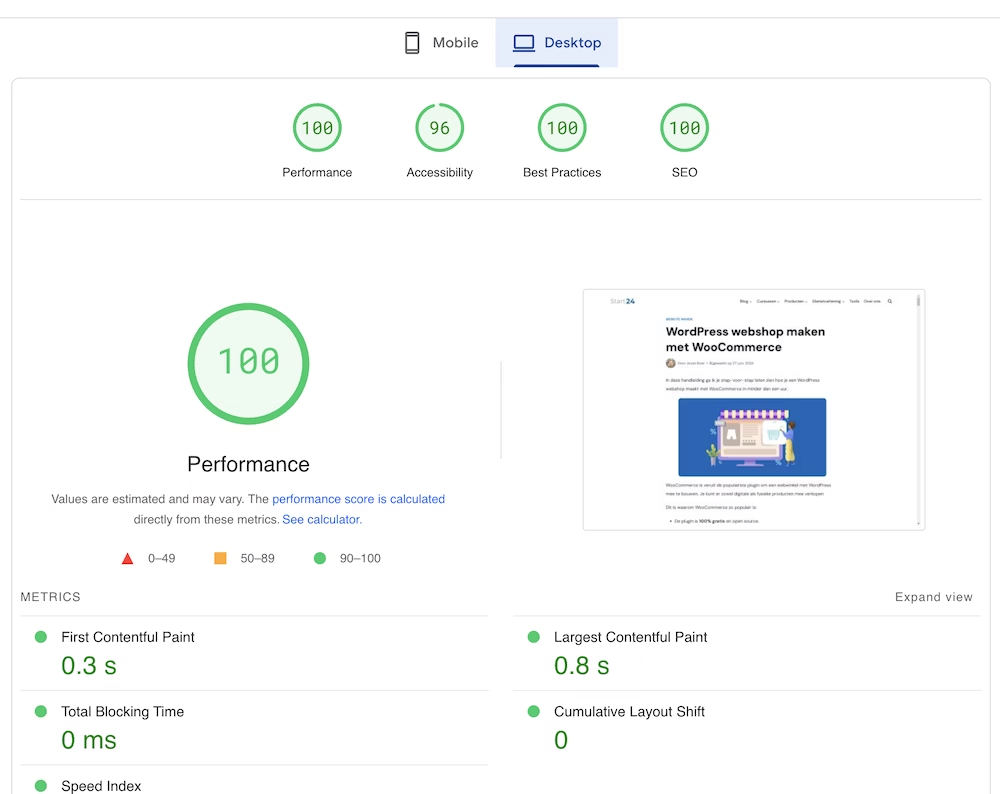
A very handy feature of PageSpeed Insights is that you can see in great detail where improvements can be made to make your website faster.
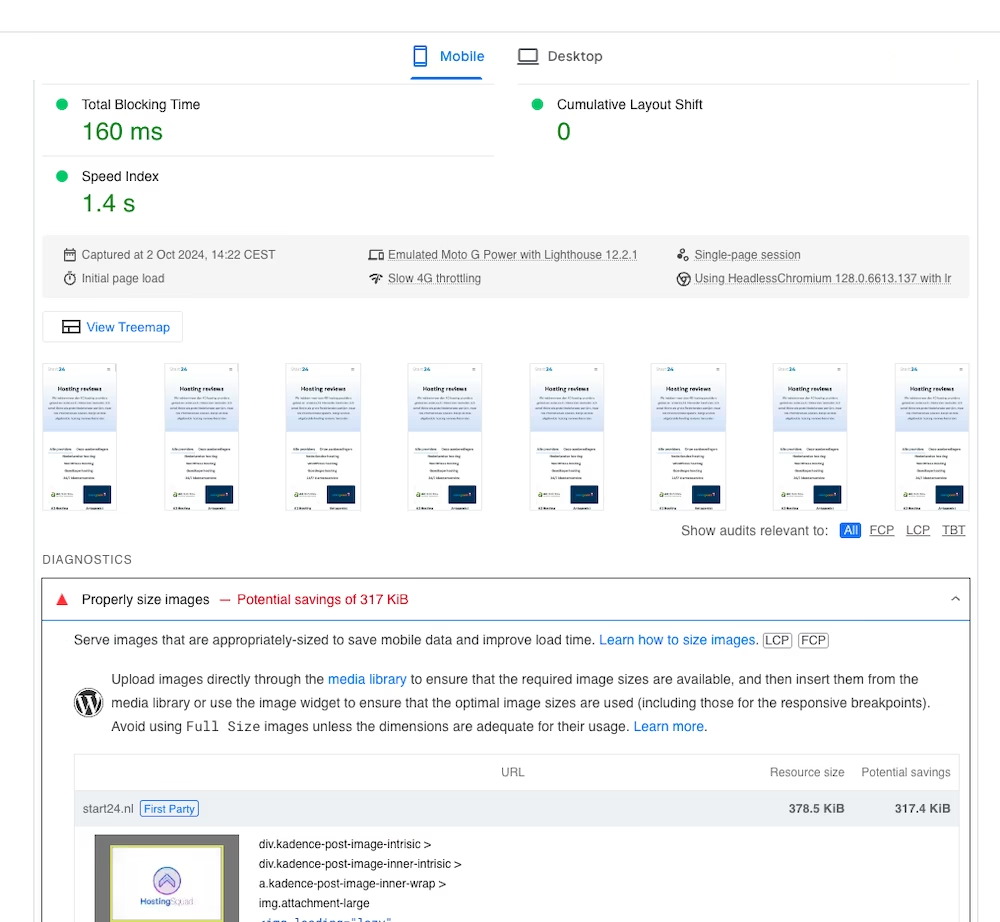
Why is it so important that your WordPress site is fast?
In summary, these are the most important reasons why having a fast website is important:
- Website speed is a Google ranking factor
- It makes your visitors happier
- A fast site converts better
This last point has been proven repeatedly through multiple case studies, including one from Vodafone, which increased its sales by 8% by improving the LCP (which is part of the Core Web Vitals) by 31%.
In short, there are plenty of important reasons to make your site as fast as possible.



Leave a Reply